
cPanel and Plesk are the two best-known control panels for running websites on a server. Both let you add domains, create email accounts, manage databases and get free SSL certificates from a browser, without typing commands. Both are good. The right one depends mostly on what your sites are built with and how many you host.
Here is the short version, then the details.
The short answer
- Your sites use ASP.NET, .NET or Microsoft SQL Server? Choose Plesk on Windows. cPanel does not run on Windows at all.
- You host many PHP or WordPress sites for clients, and your team already knows cPanel? Choose cPanel. It is the panel most web hosts use, so clients and freelancers find it familiar.
- You want one clean panel for a handful of your own sites, on Linux or Windows? Choose Plesk. Its single, site-focused screen is easier for beginners, and its licence costs less for a few sites.
- Only one or two small websites? You may not need either on a VPS. Shared web hosting already includes cPanel, email and SSL, and we manage the server.
cPanel vs Plesk at a glance
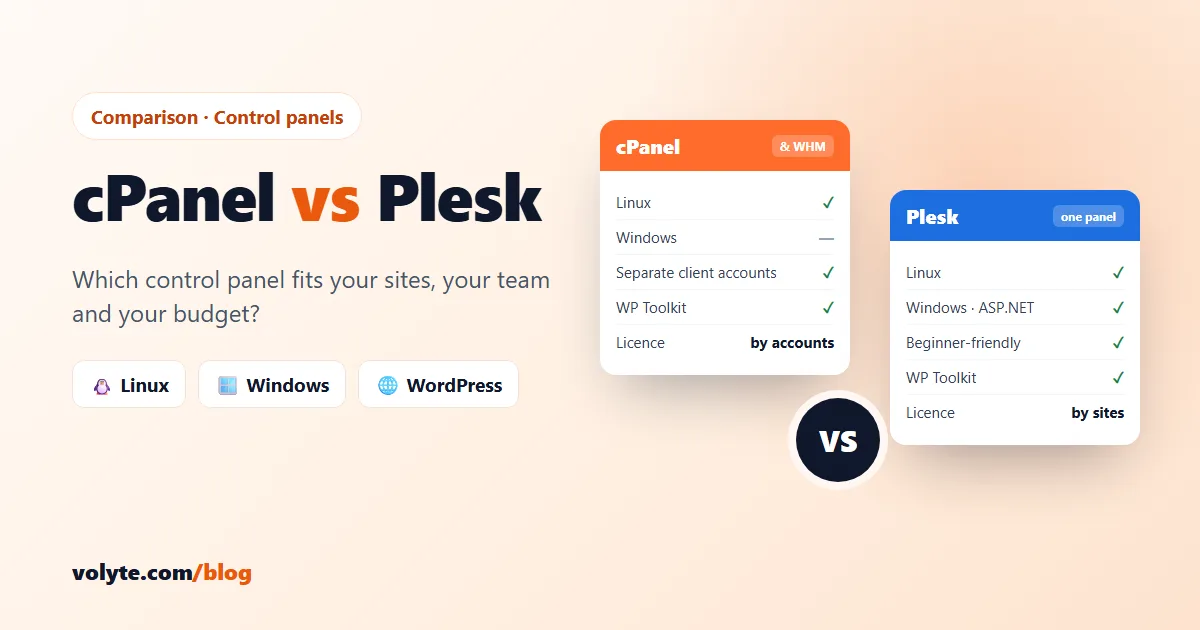
| cPanel & WHM | Plesk | |
|---|---|---|
| Operating system | Linux only (AlmaLinux, Ubuntu and similar) | Linux and Windows Server |
| Layout | Two panels: WHM for the server, cPanel for each site's account | One panel with a "Websites & Domains" view, for admin and site owners |
| Best known for | Hosting companies, agencies, many separate client accounts | Windows / ASP.NET hosting, WordPress, developers |
| Languages | PHP (several versions), Node.js, Python, Ruby | PHP, Node.js, Python, Ruby; on Windows also ASP.NET and .NET |
| Databases | MySQL / MariaDB, PostgreSQL | MySQL / MariaDB, PostgreSQL; on Windows also MSSQL |
| WordPress | WP Toolkit for installs and updates | WP Toolkit (Plesk built it): installs, updates, staging, security checks |
| Free SSL | AutoSSL, automatic for every site and mailbox | Let's Encrypt / SSL It!, a few clicks per site |
| Licence is priced by | Number of cPanel accounts | Edition, by number of domains (10 / 30 / unlimited) |
| Licence at Volyte | ₹2,100/month | From ₹1,100/month (Web Admin, up to 10 sites) |
1. Operating system: the one hard rule
This is the only point that decides things on its own. cPanel runs only on Linux. If your website or app is built on ASP.NET, classic ASP or .NET Framework, or needs Microsoft SQL Server, you need a Windows server, and on Windows the panel to use is Plesk.
If your sites are PHP, WordPress, Laravel, Node.js or Python, both panels work. Keep reading. (Not sure which operating system you need? See Linux VPS vs Windows VPS.)
2. Ease of use
cPanel splits the work in two. You log in to WHM (WebHost Manager) as the server owner to create accounts, set PHP versions and manage the server. Each website then gets its own cPanel account, with its own login, files, email and databases. The cPanel screen is a grid of icons: File Manager, Email Accounts, MySQL Databases and so on. It is not modern, but millions of people already know where everything is.
Plesk uses one panel. You see a list of your websites, and everything for a site (files, databases, SSL, PHP settings, WordPress, Git) sits on that site's card. Most first-time users find Plesk quicker to learn, and it feels more like a modern web app.
In short: Plesk is easier for beginners. cPanel is easier if you or your clients already use it.
3. Hosting many clients
This is where cPanel is strongest. Each client gets a completely separate cPanel account with their own login, disk space and email, and you manage all of them from WHM. One client's mistake stays inside their own account. You can also create reseller accounts in WHM if you sell hosting to others.
Plesk can do this too. You add "customers" and "subscriptions", and give each client their own login. Reseller accounts need the top Web Host edition. For an agency that already sells cPanel hosting, cPanel is usually less work. For a business running its own sites, Plesk's single view is simpler.
4. WordPress
Both panels include WP Toolkit, which Plesk created. It installs WordPress in one click, updates core, plugins and themes, makes a staging copy to test changes and checks basic security settings. Some advanced features, such as Smart Updates, need the Deluxe add-on on cPanel or the Web Pro / Web Host edition on Plesk. Plesk has had it longer and builds it into its main screen, so it feels slightly smoother there. Either way, managing many WordPress sites from one place is easy.
5. Email
Both give you mailboxes, forwarders, autoresponders, webmail and spam filtering on your own domains, with no fee per mailbox. Email is a draw. Whichever panel you choose, set up SPF, DKIM and DMARC records so your mail lands in the inbox and not in spam. Both panels can create them for you.
6. Developers
Both support several PHP versions per site, Node.js and Python apps, Git deployment, cron jobs and SSH. Plesk adds Docker and more developer extensions from its built-in catalogue. cPanel leans on WHM settings and full root access. On a VPS you get root (or Administrator) access with either panel, so nothing stops you installing what you need.
7. Price
Both are paid licences, billed monthly on top of the server.
- cPanel is priced by the number of cPanel accounts (roughly one per website or client). Prices have gone up several times in recent years, which is why cPanel is now the more expensive of the two for most people.
- Plesk is priced by edition: Web Admin (up to 10 sites), Web Pro (up to 30) and Web Host (unlimited).
At Volyte the cPanel licence is ₹2,100/month. Plesk is ₹1,100 (Web Admin), ₹1,500 (Web Pro) or ₹2,500 (Web Host) per month. Both are added to the VPS plan and billed on one GST invoice, and like everything at Volyte, the price you pay is the price you renew at.
8. Moving between them
Already on one panel and thinking of switching? Plesk has a free Plesk Migrator that can import sites, databases and email from a cPanel server. Going the other way, or between cPanel servers, WHM has its own Transfer Tool. Some settings may still need a manual check after a move.
If you move to Volyte, migration is free on every plan. Our team moves your sites, databases and email for you with minimal downtime.
What about free panels?
If the licence cost matters more than the brand, free panels such as CyberPanel and aaPanel, or the low-cost DirectAdmin, can run your sites well. They have smaller communities and fewer ready answers when something breaks. You can also skip the panel entirely: developers often run a plain Linux VPS and manage everything over SSH. Start with securing your Linux VPS if you go that way. All the options are on our apps & panels page.
Our recommendation
| If you… | Choose |
|---|---|
| Run ASP.NET, .NET or MSSQL sites | Plesk on Windows |
| Host many client sites, each with its own login | cPanel VPS |
| Have a few of your own PHP or WordPress sites and want the easier panel | Plesk on Linux |
| Are moving from a host that used cPanel and want nothing to change | cPanel VPS |
| Have one or two small sites | Web hosting (cPanel included) |
| Are a developer and don't want a panel | Plain Linux VPS |
Try either on your own VPS
Our cPanel VPS comes with cPanel & WHM installed automatically on Ubuntu or AlmaLinux. Our Plesk VPS hosting runs on Windows or Linux, and you pick the edition by how many sites you host. Both run on 100% NVMe storage in India, Europe or the US, with full root or Administrator access. Not sure which fits? Talk to our team on chat, ticket or phone, 24/7 in Hindi and English. Real people, no chatbots.