
Too small, and your site slows down or crashes when traffic arrives. Too big, and you pay every month for power you never use. This guide shows how much CPU, RAM and storage common workloads really need, on Linux and Windows — and the commands that tell you, from your own server, whether it's time to upgrade.
Short answer: for most small businesses, 4 vCPU and 8 GB RAM runs several websites, a database and tools like n8n with room to spare. Windows needs more RAM than Linux for the same job, because Windows itself uses 2–3 GB.
What each resource does
- vCPU (cores) — how much work the server can do at the same time. More cores help when many visitors arrive together, or when you run several apps.
- RAM — the server's working memory. Websites, databases and apps all live in RAM while they run. When RAM runs out, the server slows to a crawl or starts stopping programs. RAM is the limit most people hit first.
- Storage — space for files, databases, logs and backups. NVMe storage is several times faster than older SSDs, which matters most for databases.
- Bandwidth — how much data leaves your server each month. A typical business website uses far less than 1 TB a month.
Quick sizing table
Starting points we see work well in practice. Busy sites, large databases or heavy plugins need more.
| What you run | vCPU | RAM | Storage |
|---|---|---|---|
| 1–2 WordPress or PHP sites, small traffic | 1–2 | 2 GB | 25 GB |
| 5–10 business websites | 2–4 | 4–8 GB | 50–100 GB |
| WooCommerce store with real orders | 4 | 8 GB | 100 GB |
| n8n automations | 2 | 2 GB to try, 4–8 GB for business / AI agents | 25–50 GB |
| Docker with several apps (databases, dashboards, bots) | 4 | 8 GB | 100 GB |
| cPanel or Plesk with client sites | 4 | 8 GB | 100 GB+ |
| Busy shop or app with a large database | 6–8 | 12–24 GB | 200–300 GB |
| Windows VPS: Tally for up to 3 users at once | 4 | 8 GB | 100 GB |
| Windows VPS: Tally / office apps for 5–6 users | 6 | 12 GB | 200 GB |
| Windows VPS: several MT4/MT5 terminals with EAs | 4 | 8 GB | 100 GB |
| Windows VPS: ASP.NET site + SQL Server | 4–6 | 8–12 GB | 100–200 GB |
Only running one or two simple websites? You may not need a VPS at all — web hosting from ₹99/month handles that, with cPanel and free SSL included. Not sure between the two? Read shared hosting vs VPS.
Linux vs Windows: why Windows needs more
A minimal Linux server uses a few hundred MB of RAM when idle. Windows Server with the desktop uses around 2–3 GB before you open a single app, and every person connected by Remote Desktop adds their own session on top. So for the same work, plan for more RAM on Windows. Microsoft's own minimum is 2 GB for the desktop edition — fine to install, too little to work on. Choose Windows only when your software needs it; our Linux vs Windows VPS guide explains when that is.
Check if your Linux VPS is too small
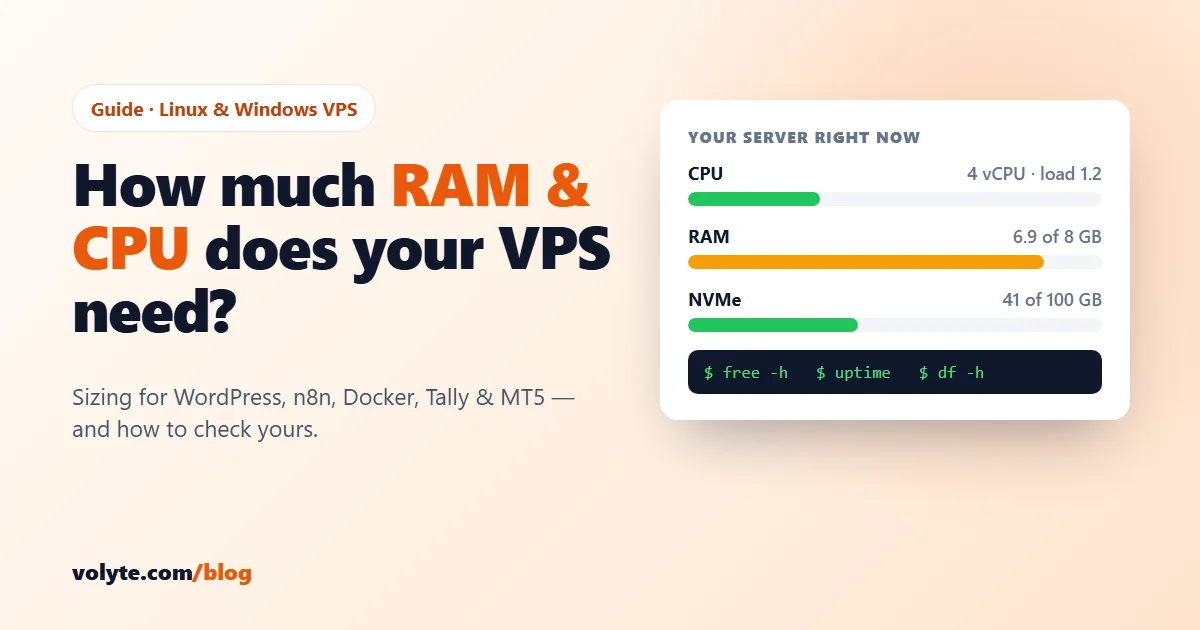
Already have a server? Measure instead of guessing. Run these while your site is busy.
RAM — look at the available column, not free (Linux uses spare RAM as cache, which is normal):
free -hIf available is regularly under 10–15% of the total, or Swap used keeps growing, you need more RAM. Check whether the system has had to stop programs because memory ran out:
sudo journalctl -k | grep -i "out of memory"Any lines here mean the server ran out of RAM and the kernel killed a process — often your database.
CPU — compare the load average with your number of cores:
nproc
uptime
The three numbers at the end of uptime are the load over 1, 5 and 15 minutes. If the 15-minute number stays above the number of cores for long periods, the CPU is the bottleneck. For a live view of which program uses what, install and run htop:
sudo apt install htop -y
htop
Disk — space left, and whether the disk is the slow part:
df -h
vmstat 1 5
In vmstat, a high number in the wa column (waiting for disk) means storage is slowing you down — common on older SSD and HDD servers, rare on NVMe. Keep at least 20% of the disk free; full disks crash databases.
Check if your Windows VPS is too small
Open Task Manager → Performance while people are working. If Memory stays above 85–90%, or CPU stays near 100%, it's time to upgrade. The Users tab shows how much each Remote Desktop user is using. From PowerShell:
Get-Counter '\Memory\Available MBytes','\Processor(_Total)\% Processor Time' -SampleInterval 5 -MaxSamples 6This prints free memory and CPU use every 5 seconds for 30 seconds. Available memory regularly under 1,000 MB means Windows is short of RAM.
Before you buy more: free fixes
- Turn on caching. A page cache plugin for WordPress and PHP OPcache can cut CPU use by more than half.
- Find the one heavy thing.
htopor Task Manager often shows a single plugin, cron job, bot or runaway script using most of the server. - Block bad bots. Aggressive crawlers can use more CPU than your real visitors. Our Linux security guide covers the firewall and Fail2ban.
- Add swap on small Linux servers as a safety net — it stops crashes during short spikes, but it's no replacement for real RAM.
Which Volyte plan fits
| Plan | vCPU / RAM / NVMe | Good for |
|---|---|---|
| LVPS-1 / WVPS-1 | 4 / 8 GB / 100 GB | Several business sites, n8n, a WooCommerce store; on Windows: Tally for up to 3 users or several MT4/MT5 terminals |
| LVPS-2 / WVPS-2 | 6 / 12 GB / 200 GB | Busy stores, cPanel or Plesk with many sites, Docker stacks; on Windows: 5–6 users |
| LVPS-3 / WVPS-3 | 8 / 24 GB / 300 GB | Large databases, high-traffic sites, larger teams |
| LVPS-4 / WVPS-4 | 12 / 48 GB / 400 GB | Heavy apps, many users, several big workloads on one server |
See prices on the Linux VPS and Windows VPS pages — the price you pay is the price you renew at. Start with the plan that fits today; when your measurements say you need more, move up to a bigger plan and our team helps you move. Need lots of storage rather than power? Look at storage VPS. Unsure? Tell us what you run on chat, ticket or phone — 24/7 in Hindi and English — and we'll suggest a size.
Frequently asked questions
How much RAM do I need for a WordPress VPS?
2 GB runs one or two small WordPress sites. For 5–10 sites or a WooCommerce store with real orders, choose 4–8 GB. Turn on page caching first — it often halves the load.
Is 8 GB RAM enough for a VPS?
For most small businesses, yes. 8 GB with 4 vCPU runs several websites, a database and tools like n8n on Linux, or Tally for about 3 users at once on Windows. Busy stores, large databases and bigger teams need 12 GB or more.
How many vCPU cores do I need?
2 cores are enough for small sites. 4 cores handle several sites or apps comfortably. If your load average stays above your number of cores (check with nproc and uptime), you need more.
Does a Windows VPS need more RAM than Linux?
Yes. Windows Server uses around 2–3 GB of RAM before any app runs, and each Remote Desktop user adds more. Plan for more RAM on Windows for the same work.
How do I know when to upgrade my VPS?
On Linux, upgrade when free -h shows little available memory and growing swap, when the kernel log shows out-of-memory kills, or when the load average stays above your core count. On Windows, upgrade when Task Manager shows memory above 85–90% or CPU near 100% during normal work.