
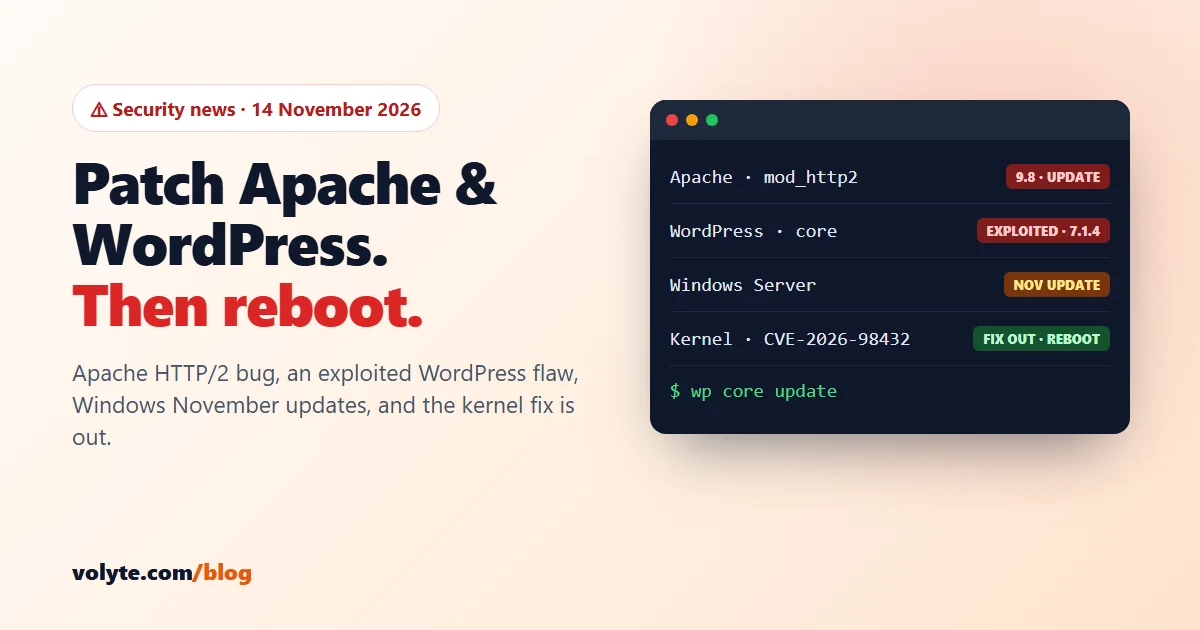
Updated 14 November 2026. Four things this week. Apache fixed a critical bug in its HTTP/2 module. A WordPress core flaw is on the US government's list of bugs that attackers are already using. Microsoft released its November updates for Windows. And the good news: the Linux kernel fix from our October alert is finally out for Ubuntu and the Red Hat family.
Short version: update Apache and restart it. Update every WordPress site to 7.1.4. Install the November update on Windows servers and restart. On Ubuntu 22.04+ and RHEL/AlmaLinux, install the new kernel and reboot, then remove the temporary firewall rule.
At a glance
| Issue | Who is affected | Fix |
|---|---|---|
| Apache CVE-2026-119618 (mod_http2) | Apache 2.4.55 to 2.4.70 with HTTP/2 switched on. Nginx-only servers are not affected | Apache 2.4.71 or your distro's fixed package, then restart Apache |
| WordPress CVE-2026-119977 | WordPress 4.7 to 7.1.3 | WordPress 7.1.4 (out since 28 Oct) |
| Windows, November Patch Tuesday | All Windows Server versions; the exploited bug is in Outlook | November cumulative update, then restart |
| Linux kernel CVE-2026-98432 | Ubuntu, RHEL, AlmaLinux, Rocky | Fixed now for Ubuntu 22.04+ and RHEL 8/9/10. Update and reboot |
1. Apache HTTP/2 bug: rated 9.8, no login needed
Apache released httpd 2.4.71 on 11 November. It fixes CVE-2026-119618, a race condition in mod_http2, the module that lets Apache speak HTTP/2. A remote attacker can corrupt the server's memory and, according to Red Hat, potentially run code, without logging in. Red Hat rates it 9.8. It was not on CISA's exploited list as of 13 November, but working test code is already public, so patch soon.
You are only affected if Apache itself serves HTTP/2. Check whether the module is loaded:
# Ubuntu / Debian
sudo apache2ctl -M | grep http2

# AlmaLinux / Rocky / RHEL
sudo httpd -M | grep http2
No output means HTTP/2 isn't loaded and this bug doesn't reach you. If you see http2_module, update:
- Ubuntu (fixed 12 Nov, USN-9090-1): 22.04
2.4.52-1ubuntu4.27· 24.042.4.58-1ubuntu8.19· 26.042.4.66-2ubuntu2.8 - Debian 13: fixed in DSA-6620-1. Debian 12: check
sudo apt list --upgradable; the tracker still showed it open on 12 Nov - RHEL, AlmaLinux, Rocky: the fix comes in the
mod_http2package, not thehttpdversion number
# Ubuntu / Debian
sudo apt update && sudo apt install --only-upgrade apache2 -y
sudo systemctl restart apache2

# AlmaLinux / Rocky / RHEL
sudo dnf update mod_http2 httpd -y
sudo systemctl restart httpd
The restart matters: the running Apache keeps the old module in memory until you restart it.
Can't update yet? Switch HTTP/2 off for now. Visitors fall back to HTTP/1.1, which works fine, just a little slower:
sudo a2dismod http2
sudo apache2ctl configtest && sudo systemctl restart apache2
cPanel servers: the default EasyApache 4 setup uses the "prefork" mode, which can't run mod_http2, so most cPanel servers aren't exposed. If you switched to event/worker and added HTTP/2, install the Apache 2.4.71 update as soon as it appears in WHM's EasyApache updates. Plesk serves HTTP/2 through Nginx in front of Apache, but check that Apache itself doesn't load the module.
2. WordPress core: update to 7.1.4
WordPress 7.1.4, released on 28 October, fixes CVE-2026-119977. During a core update, WordPress put the new files in a predictable folder under wp-content/upgrade/. For a few seconds, an attacker who requested the right path could make the site run code. CISA added it to its Known Exploited Vulnerabilities list on 3 November, which means attackers are using it. WordPress itself rates the bug Low and Wordfence rates it 8.1, but being on that list is what counts.
Every version from 4.7 to 7.1.3 is affected. Older branches got fixed releases too (back to 4.7.39). Most sites update themselves, but check, especially if you switched automatic updates off or have old staging copies.
In the dashboard: Dashboard → Updates → Update to version 7.1.4. Or with WP-CLI on your server:
wp core version
wp core update
wp core version
Then check the upgrade folder. It should have no PHP files between updates:
sudo find /var/www -path "*wp-content/upgrade/*" -name "*.php"Any results? Delete them, change your WordPress admin passwords, and talk to us if you'd like a second pair of eyes. Our WordPress on a VPS guide has more steps to keep a site safe.
3. Windows: November updates are out
Microsoft's Patch Tuesday on 10 November fixed more than 1,000 security bugs (reports give different totals). One is already being used by attackers: CVE-2026-124194 in Outlook. A booby-trapped message file can make Outlook leak the user's Windows password hash. It's on CISA's exploited list. If you use Outlook on a server, update Office as well.
The Windows Server updates for this month:
| Windows Server | Update | Build after update |
|---|---|---|
| 2025 | KB5131080 | 26100.33822 |
| 2022 | KB5131090 | 20348.5870 |
| 2019 | KB5131085 | 17763.9487 |
| 2016 | KB5131291 (install the servicing stack update KB5131083 first) | 14393.9688 |
Install it from Settings → Windows Update (or sconfig on Server Core), then restart. Check that it went in, in PowerShell:
Get-HotFix | Sort-Object InstalledOn -Descending | Select-Object -First 3Two things to know: these updates turn on NTLM signing by default, so test any old software that logs in with NTLM; and Microsoft lists a known issue with SQL Server linked servers. More on keeping Windows safe in our Windows VPS security guide.
4. Kernel CVE-2026-98432: the fix is out, reboot now
The critical kernel bug from our October alert (rated 9.8, reachable over the network) now has fixes:
- Ubuntu (in the normal updates since 9 Nov): 22.04
5.15.0-203.213· 24.046.8.0-149.149· 26.047.0.0-43.43 - RHEL 8, 9, 10: fixed on 1 November. AlmaLinux 9: fixed on 9 November (
5.14.0-687.64.1.el9_8) - Ubuntu 20.04 and older: still "work in progress" (Ubuntu Pro ESM only). Keep the firewall rule, and plan a move to a newer release
# Ubuntu
sudo apt update && sudo apt upgrade -y
sudo reboot

# AlmaLinux / Rocky / RHEL
sudo dnf update kernel -y
sudo reboot
After the reboot, check that the new kernel is running, then remove the temporary nftables rule if you loaded it:
uname -r
sudo nft delete table inet cve_2026_98432
If the second command says the table doesn't exist, it was already gone (the rule doesn't survive a reboot). That's fine.
Your weekend checklist
| Check | Done when |
|---|---|
| Apache patched | No http2_module loaded, or the fixed package installed and Apache restarted |
| WordPress updated | wp core version shows 7.1.4 (or your branch's fixed release) on every site, staging included |
| Windows updated | November KB installed and the server restarted |
| Kernel fixed | uname -r shows the fixed version, and the nftables rule is removed |
Not sure what your server runs, or want us to check it? Talk to our team on chat, ticket or phone: 24/7 in Hindi and English, real people. Setting up a new server? Start with our guide to securing a Linux VPS.
Sources: Apache httpd 2.4 security list, Ubuntu CVE-2026-119618, WordPress 7.1.4, CISA KEV catalog, BleepingComputer on November Patch Tuesday, Ubuntu CVE-2026-98432, AlmaLinux ALSA-2026:93412.
Frequently asked questions
Is my server affected by the Apache bug CVE-2026-119618?
Only if it runs Apache 2.4.55 to 2.4.70 with the HTTP/2 module loaded. Run apache2ctl -M (or httpd -M) and look for http2_module. Servers that only run Nginx are not affected, and default cPanel EasyApache setups don't load HTTP/2.
Do I need to update WordPress if automatic updates are on?
Usually WordPress 7.1.4 installed itself, but check the version in Dashboard → Updates or with wp core version. Sites with automatic core updates switched off, and forgotten staging copies, are the ones most often left on an old version.
Is the Windows zero-day in Windows Server?
No. The exploited bug this month, CVE-2026-124194, is in Microsoft Outlook. Install the November Windows Server update anyway, because it fixes many other serious bugs, and update Office if Outlook runs on the server.
Has Ubuntu released the fix for CVE-2026-98432?
Yes. Since 9 November 2026 the fixed kernels for Ubuntu 22.04, 24.04 and 26.04 are in the normal updates. Run sudo apt update and sudo apt upgrade, then reboot. Ubuntu 20.04 and older are still waiting for a fix through Ubuntu Pro.
I'm on shared web hosting. Do I need to do anything?
Your host handles Apache, Windows and the kernel. You should still check that your WordPress site is on 7.1.4, because WordPress updates are often left to the site owner.