
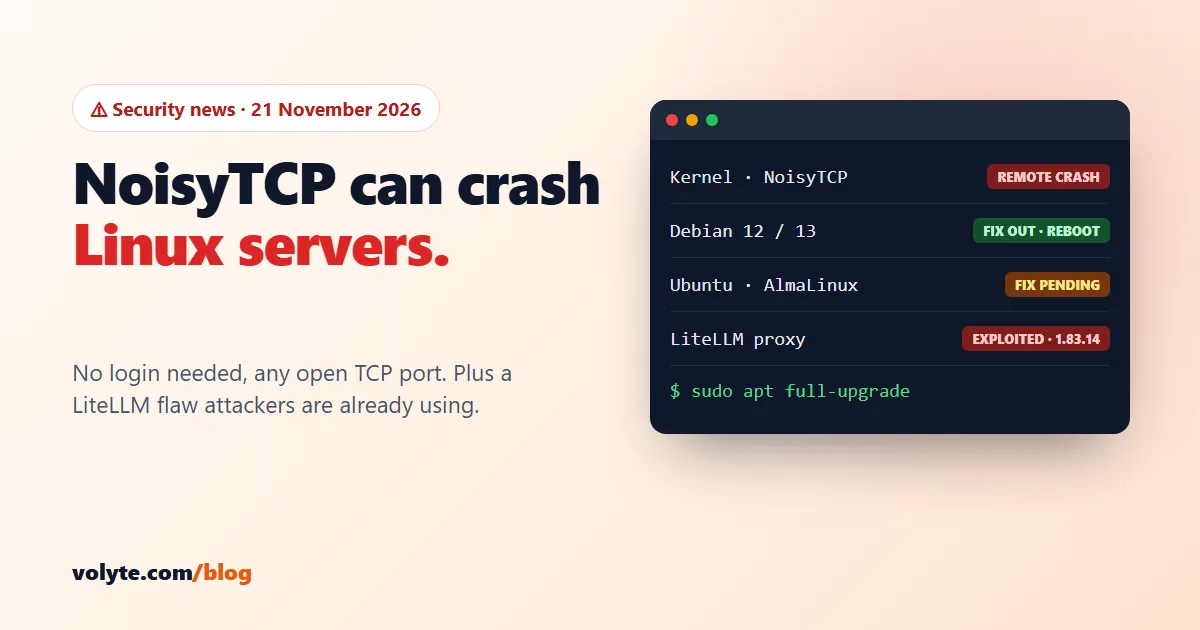
Updated 21 November 2026. Two things this week. A Linux kernel bug called NoisyTCP lets anyone who can reach an open TCP port crash an unpatched server, with no login. And LiteLLM, the AI gateway many teams run on their own VPS, is now on the US government's list of bugs that attackers are already using. Plus a short note on the OpenSSH "sshole" bug from our 7 November news.
Short version: on Debian, install the new kernel and reboot today. On Ubuntu and AlmaLinux/RHEL, there is no fixed kernel yet: check every day and reboot as soon as it lands. If you run LiteLLM, upgrade to 1.83.14-stable or newer and keep its admin pages off the public internet.
At a glance
| Issue | Who is affected | Fix |
|---|---|---|
| Linux kernel CVE-2026-99288 ("NoisyTCP") | Almost every Linux server with an open TCP port (web, SSH, mail) | Debian: fixed, update and reboot. Ubuntu, RHEL, AlmaLinux: no fixed kernel yet (20 Nov) |
| LiteLLM CVE-2026-40217 | Self-hosted LiteLLM proxy, versions 1.81.8 up to 1.83.9 | Upgrade to 1.83.14-stable or newer |
| OpenSSH CVE-2026-123158 ("sshole") | Alpine Linux only (OpenSSH without PAM). Now attacked in the wild | OpenSSH 10.6p2, then restart sshd |
1. NoisyTCP: a remote crash for unpatched Linux servers
CVE-2026-99288, named NoisyTCP by the researcher who found it (Hyunwoo Kim), is a race condition in the Linux kernel's TCP code. It was made public on 10 November. Specially crafted packets sent to any listening TCP port can make the kernel crash. Researchers say it works against Nginx, Apache and SSH in their default settings. No password or account is needed.
The good news: it's a crash, not a takeover. Red Hat describes it as a denial of service, and nobody has shown a way to read data or run code with it. The bad news: a crashed kernel means your sites and apps are down until the server restarts, and the bug goes back to kernels from 2015, so almost every Linux server is in range. Red Hat rates it Important and Ubuntu rates it High. The researcher hasn't published attack code yet.
Where the fix stands (21 November)
- Debian 13 (trixie): fixed in
6.12.117-1(DSA-6628-1). Debian 12 (bookworm): fixed in6.1.192-1(DLA-4906-1) - Ubuntu 16.04 to 26.04: listed as vulnerable, no fixed kernel yet (Ubuntu's page was last updated 20 November)
- RHEL, AlmaLinux, Rocky: no fixed kernel listed yet
- Upstream: fixed in Linux 7.3.4, 6.18.63 and 6.12.117
On Debian: update and reboot now
sudo apt update && sudo apt full-upgrade -y
sudo reboot
Check whether your running kernel has the fix
Distributions copy fixes into older kernel versions, so the version number alone doesn't tell you. Search the changelog of the kernel you're running instead. Any number above 0 means the fix is in:
# Ubuntu
zgrep -cE 'CVE-2026-99288|reject unhashed sockets during established lookups' /usr/share/doc/linux-modules-$(uname -r)/changelog.Debian.gz

# Debian
zgrep -cE 'CVE-2026-99288|reject unhashed sockets during established lookups' /usr/share/doc/linux-image-$(uname -r)/changelog.Debian.gz

# AlmaLinux / Rocky / RHEL
rpm -q --changelog kernel-core-$(uname -r) | grep -cE 'CVE-2026-99288|reject unhashed sockets during established lookups'
On Ubuntu and AlmaLinux: what to do until the fix lands
- Check for kernel updates daily (
sudo apt update && apt list --upgradable | grep linux-image, orsudo dnf check-update kernel). When the new kernel appears, install it and reboot. The fix only works after a reboot. - Make sure your services come back by themselves if the server does crash:
sudo systemctl is-enabled nginx(or apache2, mysql, docker…) should sayenabled. - Take a snapshot before the kernel update, so you can roll back if anything goes wrong.
The researcher has suggested two stopgaps: turning off TCP SYN cookies, or limiting the network card to one receive queue. We don't recommend either on a normal server. Turning off SYN cookies weakens your protection against SYN-flood attacks, which are far more common. One queue can slow a busy server, and nobody has confirmed that either step stops the crash. For most servers, waiting a few days for the proper kernel is the better choice.
2. LiteLLM: attackers are using CVE-2026-40217
LiteLLM is a popular open-source proxy that puts OpenAI, Anthropic, Gemini and other AI APIs behind one gateway. Teams often run it on a VPS with Docker, and it holds all their AI provider keys. CISA added CVE-2026-40217 to its Known Exploited Vulnerabilities list on 18 November, with a 2 December deadline for US federal agencies.
The bug is in the "custom code guardrail" test feature. Its sandbox could be escaped, letting someone run their own code on the server. In the default Docker image, that code runs as root. LiteLLM's advisory says this needs a proxy-admin login. However, researchers found two companion bugs (CVE-2026-47101 and CVE-2026-47102) that let an ordinary LiteLLM user make themselves admin on older versions. That's why 1.83.14-stable is the version to be on: researchers describe it as the first release that fixes all three.
Check your version:
# Docker
docker ps --format '{{.Image}}' | grep -i litellm

# pip
pip show litellm | grep Version
Affected: 1.81.8 up to 1.83.9. Upgrade to 1.83.14-stable or newer. With Docker, change the image tag in your docker-compose.yml to a fixed version from LiteLLM's releases page (not latest), then:
docker compose pull && docker compose up -dWith pip:
pip install -U "litellm[proxy]>=1.83.14"Can't upgrade today? Block the risky endpoint in your Nginx reverse proxy, then reload Nginx:
location = /guardrails/test_custom_code { return 403; }After upgrading:
- Keep the LiteLLM admin UI and management API off the public internet (firewall, VPN or an IP allow-list).
- Check the list of admin users. Anyone who became admin without a reason is a warning sign.
- If you ran an affected version with users you don't fully trust, rotate your AI provider API keys and database password, and set spending limits at each provider.
3. Quick note: OpenSSH "sshole" is now being attacked
The OpenSSH bug CVE-2026-123158 from our 7 November news is now on CISA's exploited list, with attack attempts reported since 6 November. It still only affects Alpine Linux and other systems where OpenSSH is built without PAM. Ubuntu, Debian, AlmaLinux and Rocky aren't affected. If you run Alpine with SSH anywhere, including Alpine-based Docker containers with their own SSH server, update to OpenSSH 10.6p2 and restart sshd.
Your weekend checklist
| Check | Done when |
|---|---|
| NoisyTCP on Debian | New kernel installed, server rebooted, the changelog check shows a number above 0 |
| NoisyTCP on Ubuntu / AlmaLinux | Services set to start on boot, snapshot taken, a daily check for the kernel update planned |
| LiteLLM | Version 1.83.14-stable or newer, admin UI not public, keys rotated if needed |
| Alpine SSH | ssh -V shows 10.6p2 or newer and sshd restarted, or no Alpine with SSH |
Not sure what your server runs, or want us to check it? Talk to our team on chat, ticket or phone: 24/7 in Hindi and English, real people. Setting up a new server? Start with our guide to securing a Linux VPS.
Sources: Ubuntu CVE-2026-99288, Debian security tracker, Red Hat CVE-2026-99288, NoisyTCP write-up, LiteLLM advisory GHSA-wxxx-gvqv-xp7p, CISA KEV catalog, The Hacker News on OpenSSH exploitation.
Frequently asked questions
Can NoisyTCP be used to hack into my server?
No one has shown that. CVE-2026-99288 crashes the Linux kernel, so the risk is downtime: your sites and apps stop until the server restarts. Red Hat describes it as a denial-of-service bug. Install the fixed kernel and reboot as soon as your distribution releases it.
Has Ubuntu released a fix for CVE-2026-99288?
Not yet. On 20 November Ubuntu listed every release from 16.04 to 26.04 as vulnerable, with priority High. Debian 12 and 13 already have fixed kernels. Check for kernel updates daily and reboot after installing the new one.
Should I turn off TCP SYN cookies to block NoisyTCP?
We don't recommend it for most servers. Turning off SYN cookies weakens protection against SYN-flood attacks, and nobody has confirmed it stops the crash. Make sure your services start on boot, take a snapshot, and install the fixed kernel when it arrives.
Which LiteLLM version is safe?
Use 1.83.14-stable or newer. LiteLLM's advisory says versions 1.81.8 up to 1.83.9 are affected by CVE-2026-40217, and researchers say 1.83.14-stable is the first release that also fixes two related bugs that let normal users become admin.
I'm on shared web hosting. Do I need to do anything?
No. Your host handles the server kernel. These issues matter if you run your own VPS or dedicated server, or self-host LiteLLM.